 Zirtola
Clean up Classic Outlook — in minutes.
A Microsoft Outlook add-in that bulk-archives, deletes, and organizes your inbox. Classic Outlook for Windows only (COM add-in).
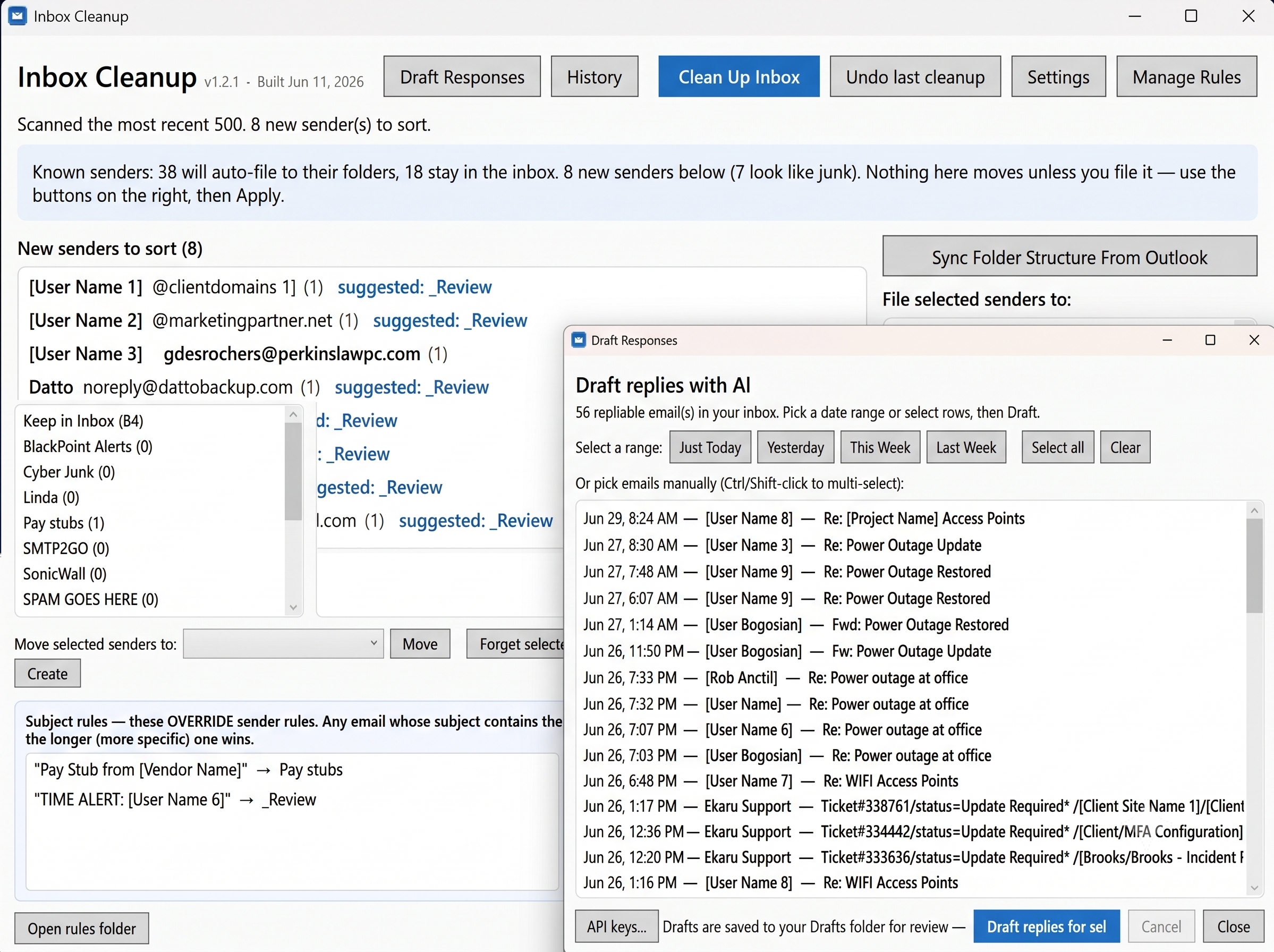
About Email Cleanup Tool
Declutter Microsoft Outlook — without leaving Outlook
Email Cleanup Tool is a Microsoft Outlook add-in that helps you cut through years of inbox clutter fast. Group and bulk-handle thousands of messages — archive, delete, and organize — directly inside Outlook, using your existing Outlook profile and folders.
Requirements — please read
- Works with Microsoft Outlook for Windows — Classic Outlook only.
- It installs as a COM add-in, which Classic Outlook supports but the new Outlook for Windows does not (the new Outlook can't run COM add-ins).
- On the new Outlook? Switch back to Classic Outlook to use this tool — toggle "New Outlook" off in Outlook's title bar.
What it does
- Bulk actions — archive, delete, or move thousands of emails in one pass.
- Find clutter fast — group your mail by sender, size, or age to see what to clear.
- Your real mailbox — works on your existing Outlook folders; no separate account setup.
Built for Windows power users who live in Classic Outlook and want a tidy mailbox in minutes.
Features
Built for Microsoft Outlook
Runs inside Classic Outlook for Windows as a COM add-in — your folders, your profile, no separate setup.
Bulk cleanup
Archive, delete, or move thousands of emails in a single pass.
Find clutter fast
Group your mail by sender, size, or age to spot what to clear.
Classic Outlook compatible
Works with Classic Outlook for Windows. Not compatible with the new Outlook, which can't run COM add-ins.
Screenshots

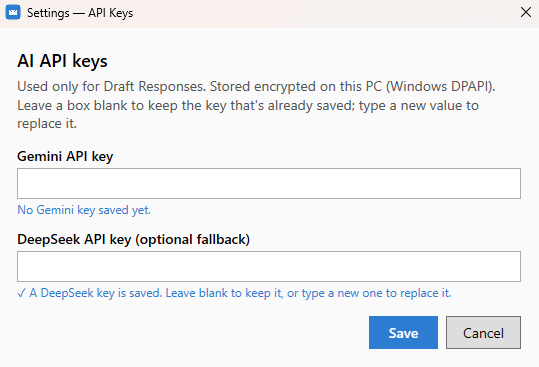
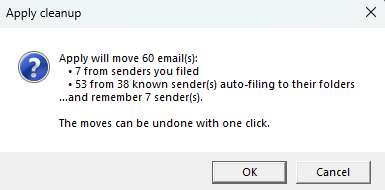
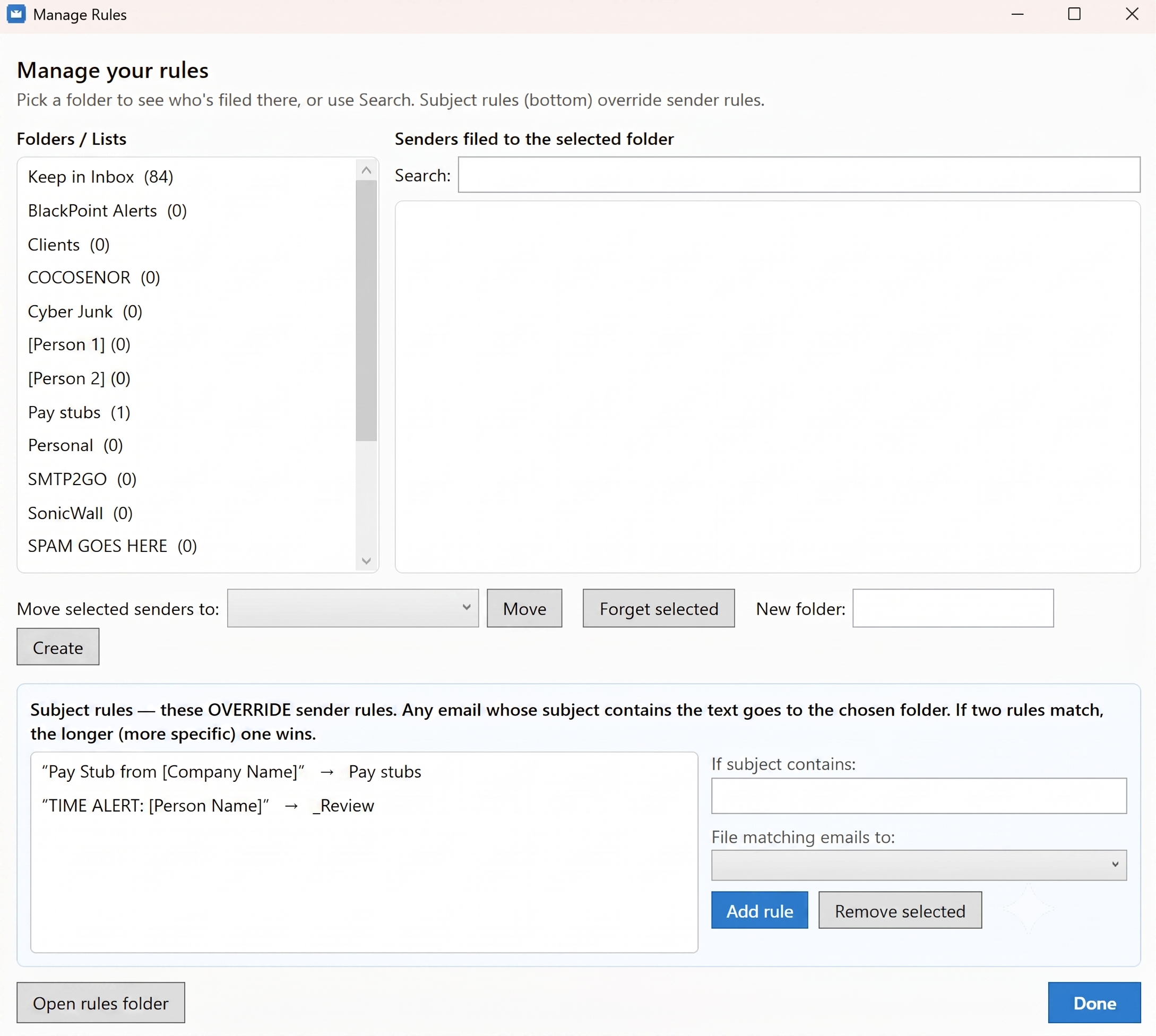
Frequently asked questions
›Which email client does this work with?
Microsoft Outlook for Windows — specifically Classic Outlook. It installs as a COM add-in that runs inside Outlook.
›Does it work with the new Outlook for Windows?
No. The new Outlook doesn't support COM add-ins, so this tool requires Classic Outlook. Switch back by turning off the “New Outlook” toggle in Outlook's title bar.
›Does it work on Outlook for Mac or Outlook on the web?
No — it's a Windows COM add-in for Classic Outlook for Windows. Outlook for Mac and Outlook on the web aren't supported.
›Could it delete the wrong emails?
You choose exactly what to act on. When you're unsure, archive instead of delete — archived mail stays in your mailbox and can be restored.
Ready to get Email Cleanup Tool?
Bulk-clean your Microsoft Outlook inbox — right inside Outlook.
Get it — $9.99