 Zirtola
Robocopy, without the command line.
A free graphical front-end for Windows Robocopy. Build, preview, and run robust copy and folder-mirror jobs — no switches to memorize. Works on Windows 7+ and Server 2008+.
About Windows Robocopy GUI
Robocopy's power, without the command line
Robocopy (Robust File Copy) is the most dependable file-copy engine built into Windows — but its dozens of command-line switches are hard to remember and easy to get wrong. Windows Robocopy GUI puts a clean, point-and-click interface on top of it, so you can build reliable copy, move, and mirror jobs in seconds.
It runs the native Windows Robocopy under the hood, so every transfer is exactly as fast and reliable as the command line — you just never have to memorize /MIR, /Z, /R, or /W again.
Free — just create a free account to download
Windows Robocopy GUI is completely free. Create a free Zirtola account and download it — no payment and no license key.
What you can do
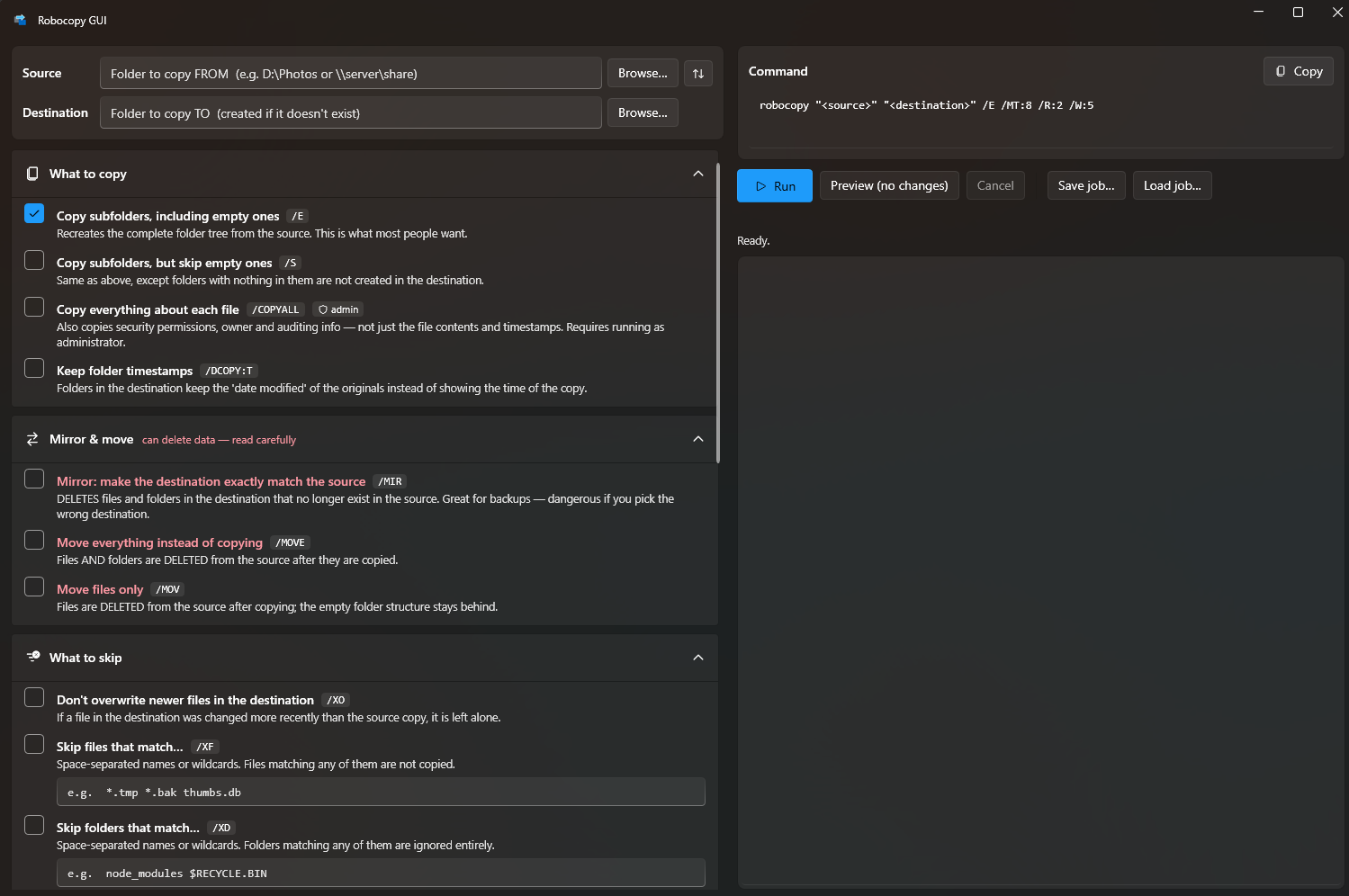
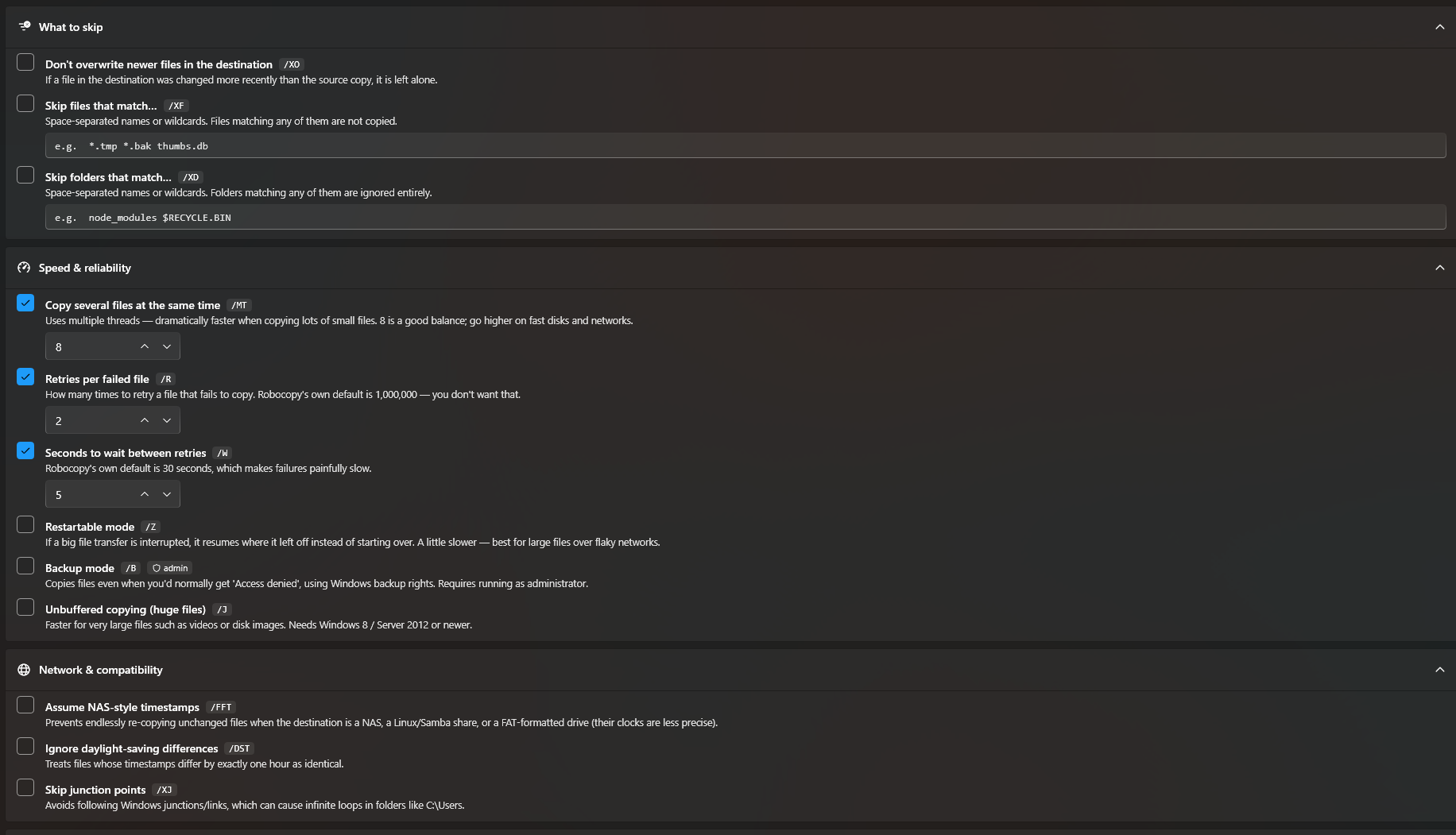
- Point-and-click job builder — pick a source and destination, toggle the options you want, and go.
- Mirror & sync folders — keep a backup folder identical to the source with a single toggle.
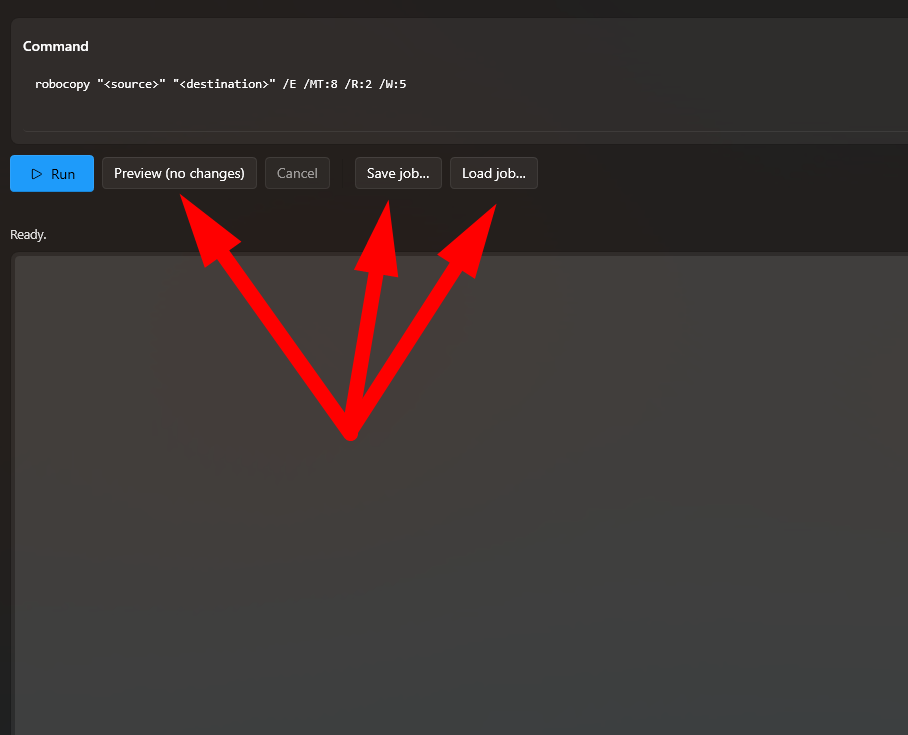
- See the command first — preview the exact Robocopy command before you run it, so there are no surprises.
- Copy everything that matters — bring along attributes, timestamps, and (optionally) NTFS permissions.
- Resilient transfers — set retry counts and wait times so flaky drives and network shares don't derail a job.
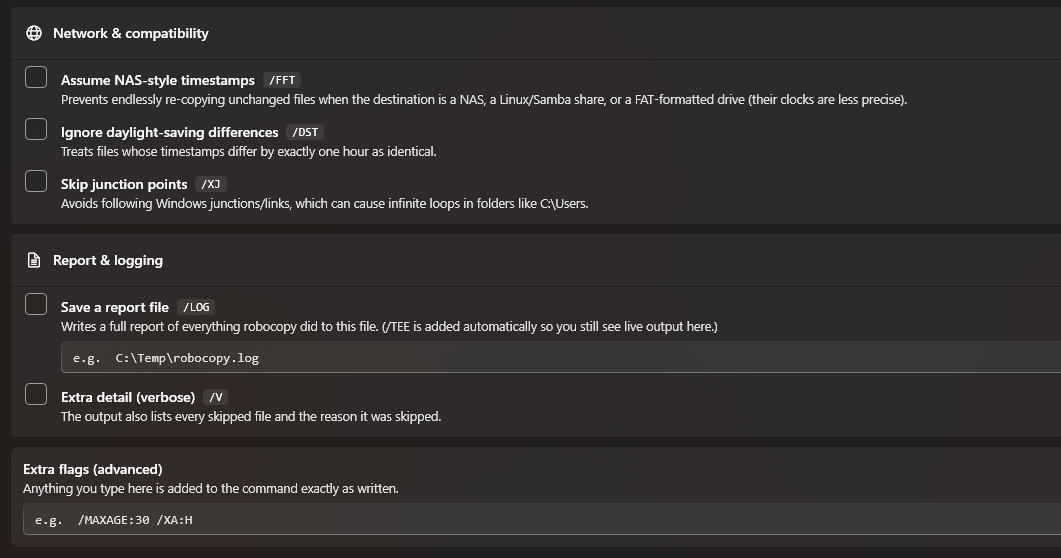
- Live progress & logs — watch the copy happen and review a full log when it's done.
- Network shares & big folders — works with any path Robocopy supports, including UNC network shares.
Works across Windows — desktop and server
Runs on Windows 7, 8, 8.1, 10, and 11, and Windows Server 2008, 2008 R2, 2012, 2012 R2, 2016, 2019, and 2022 — anything from Windows Server 2008 onward.
Features
Point-and-click job builder
Pick a source and destination, toggle the options you need, and run — no command-line switches to memorize.
Mirror & sync folders
Keep a backup identical to the source with a single toggle — great for backups and migrations.
Preview the command
See the exact Robocopy command before it runs, so you always know what will happen.
Reliable by design
Drives the native Windows Robocopy engine, with retry counts and wait times for flaky drives and shares.
Live progress & logs
Watch transfers in real time and review a detailed log when the job finishes.
Desktop & server
Runs on Windows 7+ and Windows Server 2008+ — every modern Windows edition.
Free to use
Download free with a Zirtola account — no payment and no license key.
Screenshots


Frequently asked questions
›How much does it cost?
It's free. Just create a free Zirtola account to download it — there's no payment and no license key.
›Why do I need an account to download?
A free account lets us securely deliver the installer and keep you posted on updates. It takes a few seconds and there's no charge.
›Does it replace Robocopy?
No — it's a graphical front-end that runs the Robocopy engine built into Windows, so your transfers are exactly as reliable as the command line.
›Which versions of Windows are supported?
Windows 7, 8, 8.1, 10, and 11, plus Windows Server 2008 and later (2008 R2, 2012, 2016, 2019, 2022) — anything from Windows Server 2008 onward.
›Does it work with network shares?
Yes — any path Robocopy supports, including UNC network shares (\\server\share).
›Can I mirror or sync two folders?
Yes. Turn on mirror mode to make a destination folder match the source exactly — ideal for backups and migrations.
›Could it delete files by mistake?
You choose the job and can preview the exact command before running it. Note that mirror mode intentionally removes files in the destination that no longer exist in the source, so double-check your source and destination first.