Prototype · Simulation
Dirt Digger
Real dirt. Real gold.
- Followers
- 496
- Platforms
- Windows
Get the game
Dirt Digger
Early access game
Dirt Digger is in early access. It's playable today, but it isn't finished: there's a lot more still to come, and you should expect missing features, bugs and rough edges, and things that change as we build it. Buy it if you'd enjoy it as it is now and want to follow along. Every base-game update is included.
$19.99
- Every base-game update included
- We'll keep adding new machines to the base game at no extra cost. A few especially detailed machines may come later as optional paid add-ons.
- Play on any of your PCs, one at a time. Switching is two clicks: deactivate the old one from the launcher or your account. Learn more
- Windows 10/11, played in the Zirtola Launcher
Controller recommended
The game is built for an Xbox or PC-compatible controller. Keyboard play is possible but quite cumbersome. Dual joystick support is coming soon.
About
A placer gold mining simulator built on real dirt physics.
Stake a claim in wild northern placer country and mine it the way it’s really done. Every bucket is real soil: topsoil, clay, gravel and sand that cut, spill, slump and pack down the way they do on a real job, with every cubic metre accounted for.
Gold mining
The gold is in the ground, and it’s where the geology put it. Strip the overburden with a dozer, dig down to the gold-bearing gravel with a hydraulic excavator, haul it in a dump truck and feed the wash plant with a wheel loader. Read the ground before you open a cut: good ground pays, poor ground costs you the fuel and the hours. Every gram you mine and recover counts towards the career total on your Zirtola profile.
A much bigger map
Your claim is a 5-mile stretch of boreal valley, built from real placer geology. Water runs through it: wet ground turns to mud, creeks flood your pit and carry silt, and a river you dig in runs muddy downstream. There’s room to prospect, plan your cuts and move your operation along the valley.
Features
- Placer gold mining: strip the overburden, dig the pay gravel and run it through the wash plant
- A much bigger map: a 5-mile claim of boreal valley, built from real placer geology
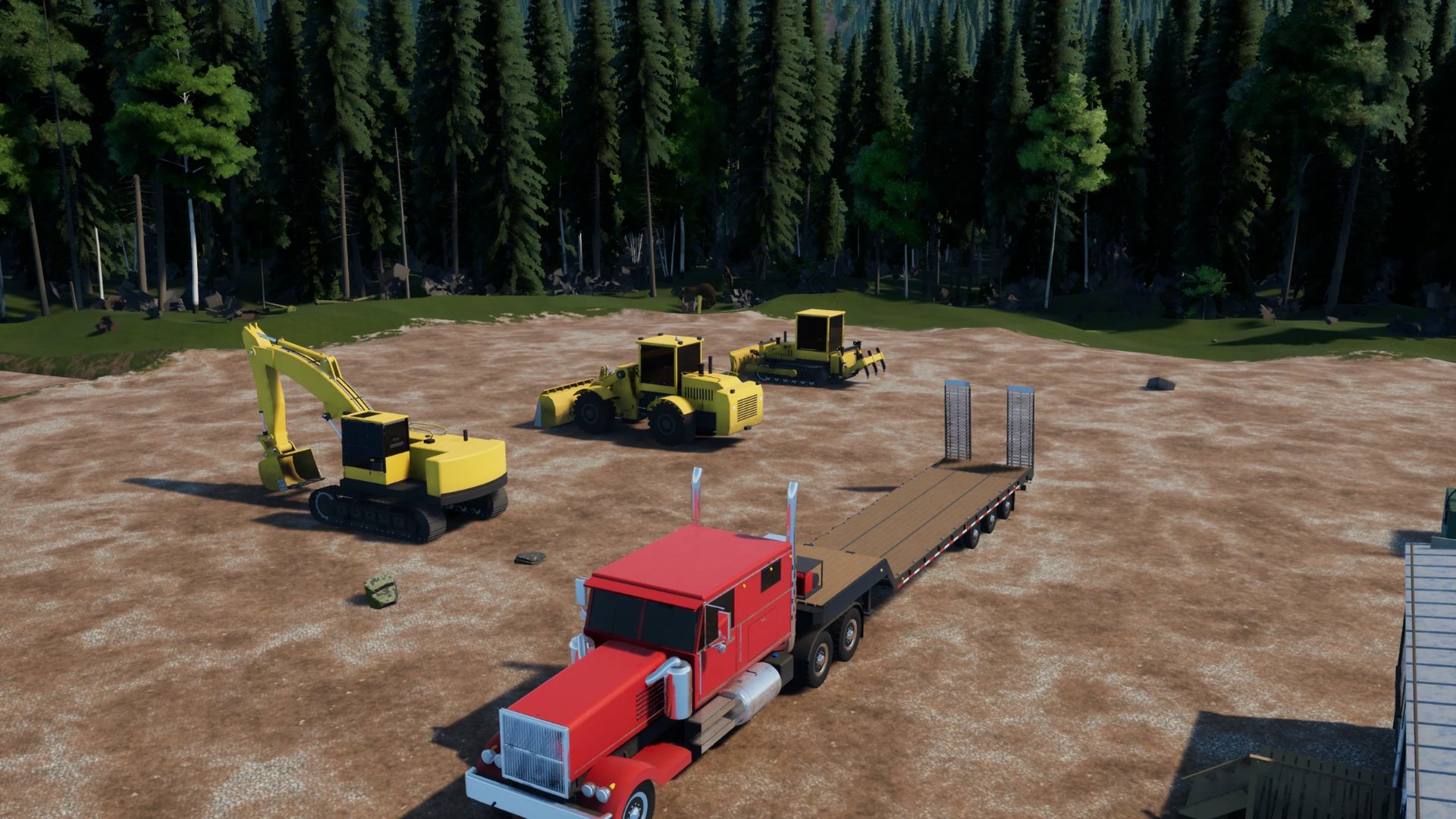
- Physics-driven hydraulic machines: excavator, wheel loader, dozer, dump truck
- Layered soil that is dug, carried and dumped, with volume conserved
- Rivers and creeks that flow, flood your pit and carry silt
- Gold mined and recovered tracked on your Zirtola profile
- Gamepad first, keyboard supported
System requirements
Requirements are provisional while the game is in development and may change before release.
Minimum
1080p · Low · 30 fps
- OS
- Windows 10 64-bit (22H2)
- Processor
- AMD Ryzen 5 3600 / Intel Core i5-10400 (6 cores)
- Memory
- 16 GB RAM
- Graphics
- NVIDIA GeForce RTX 2060 6 GB / AMD Radeon RX 6600 8 GB / Intel Arc A750
- DirectX
- Version 12
- Storage
- 15 GB available space (SSD required)
- Input
- Keyboard and mouse (playable, but cumbersome)
Recommended
1080p High / 1440p Medium · 60 fps
- OS
- Windows 11 64-bit
- Processor
- AMD Ryzen 5 7600 / Intel Core i5-13400
- Memory
- 32 GB RAM
- Graphics
- NVIDIA GeForce RTX 4070 12 GB / AMD Radeon RX 7800 XT 16 GB
- DirectX
- Version 12 (hardware ray tracing)
- Storage
- 15 GB available space (NVMe SSD)
- Input
- Xbox or PC-compatible controller · dual joysticks coming soon
- SSD required: the ground and forest stream in as you drive.
- Controller recommended: the game is built for an Xbox or PC-compatible controller. Keyboard play is possible but quite cumbersome. Dual joystick support is coming soon.
Screenshots
Latest videos
All videos →


Changelog
0.3.41 · Nov 5, 2026current
0.3.41 (beta): cameras, field of view, load last save, sturdier block walls
New
- Bucket camera and rear camera. "Next camera" (V / View) now also gives you a camera over the bucket (excavator and loader) and a rear camera looking back and down off the machine (every machine).
- Field of view settings. Settings > Controls > CAMERA: "Cab and first person field of view" (60-110 deg, default 80) and "Outside camera field of view" ("Machine default" or 55-110 deg; also third person on foot). Leaning in or back in the cab shows the angle as it changes.
- Load last save in the pause menu: goes back to where you last saved (it asks first).
Changed
- Lock block walls hold together. A block laid across a joint is now tied to both blocks under it, so a wall built in running bond moves as one piece instead of coming apart block by block. The knobs are much stronger (it takes a hard hit to knock the top course off), and a block takes a real impact to crack: a loader bumping it at walking pace no longer breaks it.
- Wash plant info panel. In the excavator, dozer and loader it now shows and hides with that machine's display button (F1 / View). On foot and in the other machines it only appears when you're close to the plant (12 m), not from across the yard.
- Hand mining: his hands now hold the shovel, the barrow handles and the sluice's handle, and he leans into the work. A shovel you were holding when you saved is back in your hands after loading. The barrow is much steadier on rough creek banks.
Fixes
- On the trucks, pickup and tractor, "Next camera" could take you into the excavator. It now switches between the outside view and the new rear camera.
0.3.38 · Nov 4, 2026
0.3.38: Follow camera off by default, creek rocks you can move
Changed
- The outside camera no longer swings back behind the machine on its own. It now stays wherever you put it, the way it was before 0.3.36. If you liked it following you, turn it back on in Settings → Controls → CAMERA → "Outside camera follows the machine".
- With it off, looking down at the loader's bucket stays that way, instead of the camera pulling back up toward the horizon (which drew far more of the forest and cost a lot of frames on some PCs).
Fixes
- Creek rocks on the big map can be moved. The boulders and cobbles in stream beds were only drawn, so the bucket went straight through them. Now the boulders near a machine become real rocks that the bucket, blade and tracks push around. Cobbles a bucket or blade digs into are taken out of the bed: the big ones become real rocks and the small ones go into the load with the gravel. Rocks you've moved stay where you left them after a save.
- Updated the note shown when you climb into the dozer: the dozer is about 90% dialed in, the spikes that grow with bigger pushed piles are still being tracked down, and making it feel heavier is in the works.
0.3.37 · Nov 4, 2026
0.3.37: Everything from 0.3.36, plus two fixes
This release brings all of 0.3.36 to stable: the differential lock, the outside camera that follows you, tyre ridges that squash instead of acting like kerbs, and the fix for being stuck in every machine after starting a new site.
Changed
- The pull-behind grader is out for now. Parked at camp, it could still sink into the ground on some sites. It'll be back once that's fixed. The farm tractor stays.
Fixes
- Recovering the wash plant keeps it exactly where it is. It used to look for a "clear, level" spot nearby, and a hole dug beside it or a machine parked next to it could send it 9 m away. Now RECOVER WASH PLANT just sets it back upright on its skid, right where it stands.
0.3.35 · Nov 4, 2026
0.3.35: Grader recovery and faster loading
- Recover the pull grader from the pause menu. RECOVER PULL GRADER sets it down behind the farm tractor, wherever the tractor is, and hitches it on.
- Recovering the tractor to camp brings its grader too. If it was pulling the grader, or the grader was near camp, the grader comes back hitched behind it. Before, the new tractor could land on a grader standing near camp and push it into the ground.
- No more minute-long wait on "Growing the forest". Loading waited for trees that were never going to be built (past your tree distance setting, or near the map's start when your site was saved somewhere else), until it gave up after 60 seconds.
0.3.34 · Nov 4, 2026
0.3.34: No more holes under parked machines, and fixes
- Parked machines stop digging holes and building mounds under themselves. Dirt squeezed out from under a parked machine's tyres or tracks slid back into the rut, and the ground forgot it had been pressed, so the tyres pressed it out again — over and over, all the time, even with everything parked. Over a session that sank the grader into its own hole and heaped mounds under trucks and excavators. It also cost frame rate: the ground was being redrawn about 170 times a second with nothing moving; now it's a handful.
- Bushes stay gone after a reload. Bushes the dozer pushed out grew back on reload wherever the cut or the fill was shallow. Now they stay gone wherever the ground was scraped, covered with spoil or driven over.
- The tractor's automatic stands still with your foot off. It used to creep forward at idle. It also holds itself on its brakes at a standstill.
- A tractor that rolls over no longer throws you across the map. On its side its body now meets the ground properly instead of sinking in and being flung out.
- Climbing onto the tractor is easier. Walk up to either side near the seat.
- Recovering the wheel loader brings it back with its arms raised, so the bucket doesn't dig into a slope.
- On foot in first person, the mouse looks up and down the same way as in the cabs, and the same mouse setting turns both round.
- The wash plant's panel no longer covers the excavator's ground panel, and the ground panel no longer covers your money.
0.3.33 · Nov 3, 2026
0.3.33: The grader stays where you put it, and a stronger tractor
- The grader's blade stays where you set it. Let go of the lever and the blade used to keep sinking slowly until it reached the ground, whether you were driving or not. It now holds exactly where you stop it.
- A parked grader stays parked. Unhitching used to let the nose drop off the hitch, which shoved the blade into the ground; the grader could then slide, dig itself a hole and tip onto its nose. The jack now winds to the ground before you let go, so the tongue stays at towing height and the grader stands still.
- A blade only cuts when the machine is actually moving. A blade swinging down on its own linkage no longer digs.
- The farm tractor is stronger and shifts for itself. 40 % more power (91 hp, up from 65), so it pulls the grader through a cut without bogging down. The gearbox is now automatic: hold the throttle to go, and it picks the gear; at a standstill, hold the brake a moment to back up (in reverse the pedals swap). Pressing a shift button switches to manual; D-pad right / T switches back to automatic.
0.3.32 · Nov 3, 2026
0.3.32: The dozer digs in again
- The dozer pushes into its own dirt instead of climbing it. Coming back to the pile left from your last pass, the blade used to ride up onto it and the machine ramped over it with an almost empty blade, pass after pass. Loose dirt can't hold a lowered blade up like solid ground any more: the blade goes into the old pile and pushes it, filling up the way it should. (Thanks PredatorBeing.)
- No more towers of dirt. After a few heavy pushes, columns of dirt several metres tall could stand up beside and in front of the dozer. The blade now lets what it cuts run down as it lands.
- Hitching the grader tells you how. Back a machine up to the grader and the button bar shows "Hitch grader" with its button and how far you still have to go; once you're close enough a "Grader lined up" message pops up with the button to press (left stick click / H by default).
0.3.29 · Nov 3, 2026
0.3.29: Piles flatten under your wheels, a hand rake, and a smoother loader
Driving over dirt
- Loose piles flatten under wheels and tracks. A windrow or a dropped bucketful used to act like a solid kerb: machines bounced over it and it was still there afterwards. Now a tyre or track pushes most of a thin pile out to the sides and packs the rest, so it flattens where the wheels go, leaving a small ridge either side, the way real ground does. Driving a dump truck over a 15 cm windrow, the wheel tracks now end up less than 1 cm above the ground (they stayed around 3 cm before). No dirt is lost or made.
On foot
- A hand rake. Press D-pad right (or Y) to take it out, and hold RT (or the left mouse button) to rake. It levels the ground in front of you, pulling humps into the hollows, and walking while you rake drags it along a strip. It moves loose dirt and the top few centimetres of the ground, not rock. Press D-pad right / Y again to put it away. Both buttons can be changed in Settings > Controls > On foot.
Wheel loader
- Your view turns with the loader. In the cab, your head turns a little toward the front frame as it swings round in a turn, so you're looking where you're going. It eases in and out gently.
- The bucket is smooth inside. Brackets from the back of the bucket used to stick up through the floor of the bowl.
Catalog
- Machines that aren't for sale yet all say Coming soon (some said they were on trial at the yard, which they aren't).
0.3.28 · Nov 3, 2026
0.3.28: Graphics settings wait for Apply, a gentler boom, and everything since 0.3.25
Everything since 0.3.25 (beta players have had most of this since 0.3.26):
New in 0.3.28
- Graphics settings wait for Apply. Changing a graphics setting used to apply it at once, so stepping through a setting redid it at every step. Now the page keeps your changes until you press Apply changes (at the top of the Graphics page, and again at the bottom); Undo changes puts them back. Closing Settings without applying forgets them.
- The excavator's boom comes down 20% slower. Lowering the boom at full lever dropped it fast enough that it was hard to set the bucket down gently. Raising it is unchanged.
From 0.3.27
- The pause menu fits any screen. On a short window or with Windows display scaling turned up, the bottom of the pause menu ran off the screen (Settings and Save and quit were out of reach). The list now scrolls under the title, with the mouse wheel or by moving down it with the controller or keys.
- The menu wraps round. Press up on Resume to jump to the bottom of the list (Save and quit to desktop), and down from the bottom to come back to Resume.
From 0.3.26
Each save has its own money, gold and machines
- Starting a new site no longer wipes what you've earned on your other saves. A new site starts with $10,000 and the camp machines; your other sites keep their own money, gold savings and the machines bought there.
- Nothing you have now is lost: the first time you open each of your existing saves in 0.3.26, it starts with the money, gold and machines you have today, and from then on it keeps its own.
- Save as new takes the site's wallet with it.
Graphics settings (Settings > Graphics)
- Low, Medium and High presets, and profiles of your own: change any setting and save it under a name to come back to.
- Trees and plants: how many trees stand, how far out they're drawn, and the same for shru
0.3.25 · Nov 2, 2026
0.3.25: Buttons for any control, less slowdown in long sessions, a dry creek by the camp
Everything since 0.3.21 (beta players have had most of this since 0.3.22):
Controls
- Buttons work on stick controls. Press a button (a pad's back paddles, a joystick's buttons) when a control asks for a stick, and it takes one way; the game then asks for a button for the other way. If you chose Replace, the stick that was there comes off.
- Replace or add another. Click a control that already has something on it and the game asks: replace it, or add another. Adding takes a stick for both ways, or a button or pedal for one way and then another for the other way. Everything you add works alongside what's there.
- Pedals and throttle sliders work one way. A pedal, or a slider pulled back to its stop when you bind it, drives one way over its whole travel: resting is stop, pushed is full.
- Binding an axis to a track keeps reverse, and a throttle slider bound both ways has a band in the middle to stop in.
- Nothing about the controls as they come has changed: pads and keyboards work exactly as before.
Performance
- Less slowdown over a long session of digging. Several jobs the game does while you dig kept getting bigger the longer you played. In a 30-minute digging test the frame rate nine minutes in went from 68 to 76 fps. Clods lying on the ground update a few times a second instead of every frame, the bucket teeth's fine shape is looked up only where the ground is redrawn, the distant ground under the dig isn't rebuilt twice a second, and clods more than 25 m away no longer cast shadows.
- The creek beside the camp is dry. The little creek through the culvert under the road next to the parking area has no water in it any more, on either side of the road. Its water cost frame time whenever you were near the camp. The bed, the culvert and its rock aprons are still there.
Machines
- Loader steering is smoother. The steering swings towar
0.3.21 · Nov 1, 2026
0.3.21: Joysticks and controllers you can actually map
- Flight sticks and joysticks work. Thrustmaster T.16000M, HOTAS and other DirectInput sticks are read by the game itself now. Every stick is its own device, so a pair of identical sticks bind separately ("Stick 1 Y", "Stick 2 twist", "Stick 1 button 3", the hat's four ways). Up to four sticks, eight axes and 32 buttons each. A stick plugged in while the game is running turns up.
- Binding an axis no longer grabs the wrong one. Click a control and move what you want: the game takes the axis you moved, not a throttle or slider that's resting at one end.
- An axis does both ways. Bind boom by pushing the stick forward and boom works both ways, forward being up. (Before, it could end up working one way only, or one way at half speed.) You can put a stick or joystick axis on anything, even controls that come on buttons.
- Drive tracked machines from one stick. The excavator and the dozer have "Drive (both tracks)" and "Steer (tracks)", empty to start with: put a joystick's forward/back and left/right there.
- PlayStation pads work without extra software. DualShock 4 and DualSense pads work like an Xbox pad out of the box (if you already use DS4Windows or Steam to make them an Xbox pad, that keeps working).
- Joystick bindings from before carry over to Stick 1.
0.3.20 · Nov 1, 2026
0.3.20: A fresh start for every new site
- Every new site now starts with $10,000 in the bank (up from $5,000), no gold in savings, and the machines every site comes with. Before, a new site carried over whatever money, gold and purchases the last one left.
- Note: money, gold and purchases still live in one player profile, so going back to an older save after starting a new one also sees the fresh start.
0.3.19 · Nov 1, 2026
0.3.19: Dozer spikes and the pile in front of the blade
- The tall dirt spikes that stood up beside and ahead of the dozer while it pushed (and melted away when it stopped) are gone, or nearly: they weren't in the ground at all, the ground was being drawn from a copy taken while the tracks were still changing it. Small ones may still show for a moment.
- The dirt the blade sheds off its ends, and what rolls off the front of the pile, now settles at its natural slope as it lands instead of standing up in towers.
- The pile hugs the blade: no more phantom heap pushed along a couple of metres ahead of it.
- Slopes settle a little faster around the machine you're driving.
0.3.16 · Nov 1, 2026
0.3.16: Settings tabs, volumes, views kept
- Settings is split into tabs: CONTROLS (the machines under it, as before), SOUND and DISPLAY. Click a tab, or use LT / RT or Tab.
- New volume controls on the SOUND tab: master, machines, footsteps.
- Every value has < and > arrows beside it: click them to step it down or up. Clicking the row only selects it.
- Each machine remembers its view with the save: cab or outside, how far you've leaned back in the cab (the field of view), how far out the outside camera sits; on foot, first or third person. A recovered machine keeps its view too.
- Switching to windowed now gives a window smaller than the screen, centred, with its title bar (move, minimise, close) on screen. Borderless stays on the monitor the game was on instead of jumping to the main one.
- Everything in 0.3.15: Recover to camp.
0.3.15 · Oct 31, 2026
0.3.15: Recover to camp
- The pause menu has a second recover option. RECOVER MACHINE still rights the machine where it is; RECOVER TO CAMP sends it back to its parking spot at camp, where a new site starts it. A heavy haul brings its trailer if it's coupled. Whatever is in the bucket or bed is tipped out where the machine was.
- Everything in 0.3.14: the old riverbed to mine, drive-through saplings, faster saved sites.
0.3.14 · Oct 31, 2026
0.3.14: An old riverbed to mine
- The main river through Claim 1 is now an old riverbed: a small creek winds down the wide valley floor, and the dry gravel beside it, where most of the claim's gold lies, can be dug. There are no trees on the old floor.
- The 33 side creeks that run into it now meet the small creek instead of flaring out to the old river's width.
- Machines drive through young saplings now, as they already did over fallen logs. Big trees and boulders still stop you.
- No more green ring round your machine where the close-up grass ends.
- Saved sites load much faster (the loading screen no longer sits at 88%), and they no longer slow the game down while you play.
- A saved site keeps the old river channel in any ground it had already dug or driven over near the river. A new site shows the change best.
0.3.13 · Oct 31, 2026
0.3.13: The world keeps up when you drive
- Trees, bushes, grass and the ground now keep up when you drive away from camp. Before, past about half a mile out the road ahead went bare, and everything filled in only once you stopped.
- Bushes no longer flicker in and out as you walk or drive past. They now blend from their close-up shape to their distant one instead of jumping.
- The loading screen has a new "Growing the forest" step, so the plants around the start are already there when you arrive.
- Grass no longer flickers around the truck at road speed.
- Heavy haul: Recover resets the cab on its own when the trailer isn't coupled, and leaves the trailer where you parked it. With the trailer coupled, both are reset together as before.
0.3.12 · Oct 31, 2026
0.3.12: Button hints and a still sun
- A line along the bottom of the screen shows the buttons for each machine's own features, and shows ON or off where it matters. Dozer: auto level, ripper. Excavator: chain hook. Loader: neutral, wash plant. Dump truck: parking brake, tailgate, tipping. Heavy haul: engine brake, parking brake, gears, couple or uncouple, and the ramps and landing legs while a trailer is coupled. Pickup: 2WD/4WD/4-Low, gears, parking brake. Every machine also shows climb out. It follows your own key bindings.
- The sun no longer moves for now: it stays at the time a new site starts (10:30), and saved sites open at that time too.
- Everything in 0.3.11: dozer auto level, the soil layers in the F1 view, walker fixes.
0.3.10 · Oct 31, 2026
0.3.10: The dozer notice
- The short notice on climbing into the dozer (we know about its problems, a fix is in progress, gone after 2.5 s) was drawn inside a debug panel that doesn't exist in the shipped game, so 0.3.9 never showed it. It shows now.
- Everything in 0.3.9 (spikes beside the dozer, pushing power, parked sinking, berms).
0.3.9 · Oct 31, 2026
0.3.9: Dirt spikes, dozer power, parked dozer sinking
- Dirt spikes next to the dozer. The pass that knocks down a pillar of fresh spoil was handing the whole pillar to the next cell instead of splitting it, so the spoil walked a few cells sideways and stood up as a thin fin beside the machine (the spikes on the berm and in the sand pit). It spreads now. Checked with a new spike watch on four dozer runs: zero spikes left standing.
- "No power to push dirt." A blade that nosed deep into a slope was charged full cutting cost up its whole height and stopped the machine dead at 290 kN. The deep part of the cut now costs a fraction, so a dozer buried on a pit wall works its way out instead of freezing.
- Dozer sinking while parked. Tracks standing on loose spoil kept grinding it out from under the shoes even with the machine stopped, so a parked or stalled dozer slowly settled into the ground. The tracks only crush spoil while they are actually rolling.
- Driving into a berm. A loose heap in front of the tracks was treated as a ramp straight up; the dozer sat on the perimeter berm at 23° with the blade in the air. It now slows the machine and the blade pushes it.
- The blade's cutting edge bears harder the deeper it is, so the lowered blade knifes less far into the ground.
- A short notice when you climb into the dozer: we know about its problems and the fix is in progress. It goes away after 2.5 seconds.
Discussion
45 threads →AI disclosure: We use AI tools to rough out some parts of the game, like early drafts of art, code and text. Everything that ships is reviewed, reworked and finished by our team.